Income Showing High in Family ID? How to Apply for Income Correction Online
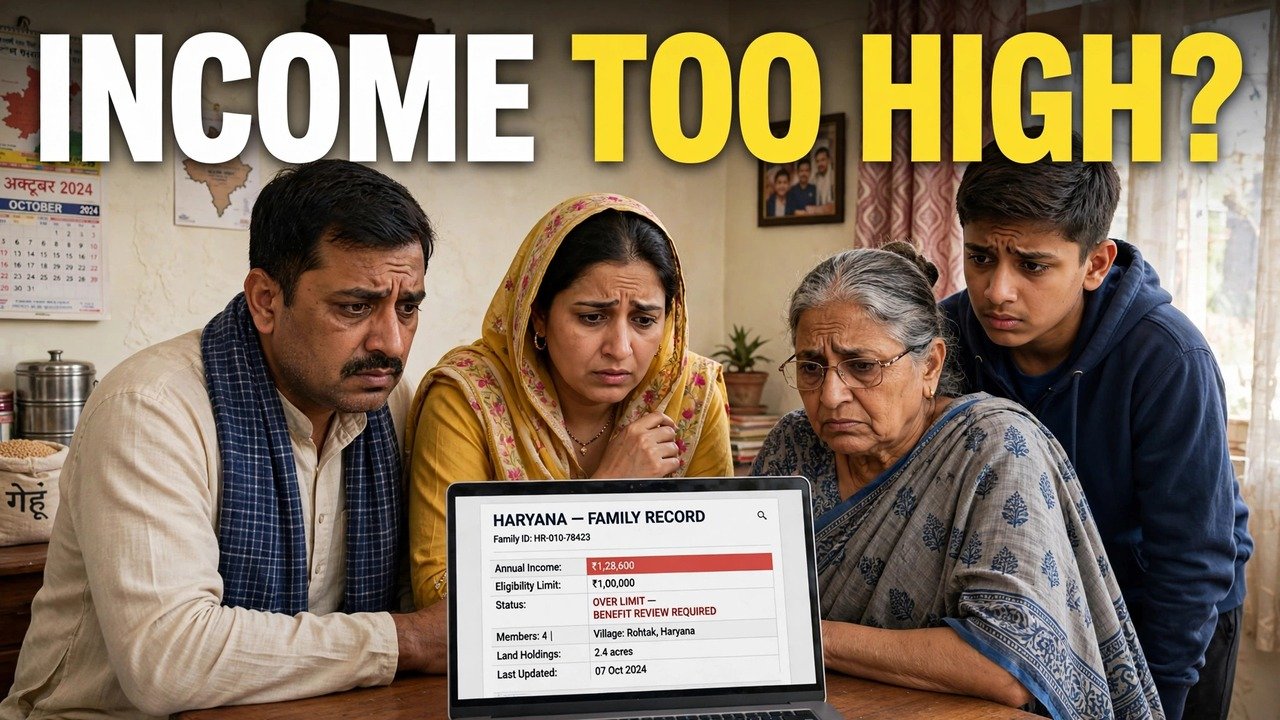
If the income shown in your Family ID is higher than what your family declared, you do not correct it by editing the income figure yourself — you challenge the verified figure through the official Correction or Grievance route online. Note the exact income shown, open the grievance flow with your PPP ID or Aadhaar ID and the Head of Family mobile for the OTP, select the income-related service, add the service-wise information and supportive documents the screen asks for, and submit. You will get a ticket ID to track the case, and a challenge to income assessed by a Local Committee is pushed onward to a Sector Committee.
That route, in that order, is what the official material describes. The rest of this article walks through it without adding steps the sources do not name.
Start With the Figure You See, Not the Figure You Expected
Before you file anything, write down two numbers side by side: the income your family declared when the record was made, and the verified income now shown in the record.
The gap between them matters because of how verification works. The Haryana Legislative Assembly reply on PPP explains that self-declared income is verified through more than one method, including online data checks and assessment by Local Committees. Each Local Committee has five members, and each member assesses the income independently before the final verified income is arrived at.
So a high figure is not usually a typing slip on one screen. It is the outcome of that verification process — which is why the remedy is a formal contest of the verification, not a quiet edit of the field. The official citizen information for PPP also states that a field which has completed verification and is treated as verified cannot be edited, so trying to change a verified income through the ordinary update tab will not work.
Correction or Grievance — Pick the Filing That Matches the Problem
The Assembly reply names two designated online mechanisms for contesting income verification: Correction and Grievance. It says this includes challenges to exclusions that follow from the verified income.
Use this distinction when you file:
- Correction fits when you are asking for the record detail itself to be corrected through the correction module.
- Grievance fits when you are raising a service-linked complaint about the income outcome — for example where the guide lists an income grievance type under a linked scheme, such as family income being incorrect, or a beneficiary’s income being incorrect.
Filing the same complaint in both places at once does not speed anything up. Pick the one that matches your case, file it once, and keep its reference. The tracking system described below exists so that one case can be followed properly.
Filing the Income Challenge Online, Step by Step
For the grievance route, the Citizen Resource Information Department’s PPP Services Grievance Redressal Help Guide (Version 3.0) sets out the sequence. Follow it in this order:
- Open the grievance section and choose Add/view Grievance.
- Enter your PPP ID or Aadhaar ID.
- Complete the OTP step — the OTP goes to the registered mobile number, or the Head of Family member’s registered number.
- After validation, check the Head of Family name and registered address shown on screen. Do not proceed if those belong to a different family.
- Select the Name of Service that matches the benefit or record affected by the high income.
- Provide the service-wise information the screen asks for — here, state clearly what income is shown and what you are contesting.
- Provide the supportive documents, as defined service-wise on that screen. Upload only what that service asks for, in the form it asks for.
- Submit the grievance.
- Save the ticket ID generated on submission. The guide says an SMS follows with confirmation of the filing, its date and time, and the tracking ID.
Keep the ticket ID and that SMS together. They are your proof of filing and your key for checking the case later through the same Add/view Grievance route.
What the System Does With Your Challenge
Filing is not the end of the process — it is the handover point, and the Assembly reply describes where the case goes next.
An exclusion challenge is pushed electronically and automatically to the appropriate quarters for online verification. You do not have to carry a paper copy from office to office to start that review.
If your challenge is specifically about income assessed by a Local Committee, the request is pushed to a higher-level committee called a Sector Committee, which has a similar composition to the Local Committee. In other words, the income is looked at again, but not by the same five people who assessed it the first time.
The sources used for this article do not give a fixed number of days for a decision on an income challenge. Do not rely on a date shared in a video or a message group. Track the ticket through Add/view Grievance instead, and keep the registered mobile available for any follow-up linked to the case.
If You Cannot Complete the Filing Online
Two practical problems stop families mid-filing: the Head of Family mobile is not available for the OTP, or the portal step cannot be completed at home.
For updating or verifying family information in person, NIC Haryana’s official PPP page names the nearest Atal Seva Kendra or SARAL Kendra. The PPP citizen information also describes assisted mode — the nearest CSC, SARAL Kendra or PPP Operator can enter your Family ID and carry out the update on your behalf.
Take the note you made at the start — the declared income, the verified income now shown, and any earlier ticket ID — so the operator works from the same figures you saw, and ask for the filing to be recorded in the official system rather than noted separately.
Three Income-Specific Checks Before You Press Submit
First, check the member list behind the income. A member who has left the family, or a member counted twice, can distort what a household’s income appears to be. If the member list itself is wrong, that is a separate correction — say so in your filing instead of treating it as only an income problem.
Second, check which service you selected. The grievance guide is organised service by service, and the information and documents asked for are defined service-wise. Selecting a service that has nothing to do with the benefit affected by the high income can send the case down the wrong path.
Third, do not file a second challenge while the first ticket is still open, simply because no change is visible yet. A pending ticket means the challenge is in the routing described above; a duplicate filing creates a second case about the same figure and makes tracking harder, not faster.
Source: Haryana Legislative Assembly reply on Parivar Pehchan Patra, Starred Question No. 4 (February 2023); Citizen Resource Information Department, Government of Haryana — PPP Services Grievance Redressal Help Guide (Version 3.0); Mera Parivar / PPP portal official citizen information; and National Informatics Centre (NIC) Haryana, Government of India — official page on Parivar Pehchan Patra (Informatics, October 2024).
Also read: documents required for income correction in Family ID | income correction rejected — what to do next | income correction legal process in simple words
Conclusion
A high income in your Family ID is a verified figure, so the way back is a formal online contest, not a direct edit. Note the declared and shown figures, file once through Correction or Grievance — with the grievance flow running from PPP ID or Aadhaar and OTP through service selection and service-wise documents to a ticket ID and SMS — and let the routing do its work: exclusion challenges go for online verification, and Local Committee income challenges go up to a Sector Committee. Keep the ticket safe, track it through Add/view Grievance, and use an Atal Seva Kendra, SARAL Kendra, CSC or PPP Operator only when the online filing itself cannot be completed.
FAQs
1. Can I lower the income figure myself through Update Family Details?
Not if that income field has completed verification. The official citizen information states that verified fields cannot be edited. A verified income is contested through the designated Correction or Grievance mechanisms instead.
2. I have no ticket ID from an earlier income complaint. Should I file again?
Only file a fresh challenge if you have no record of an earlier filing at all. The grievance guide provides a ticket ID on submission and an SMS with date, time and tracking ID precisely so a case can be tracked — if you hold either, track that case through Add/view Grievance rather than duplicating it.
3. My high income was assessed by the Local Committee. Who reviews my challenge?
The Assembly reply states that requests challenging income assessed by a Local Committee are pushed to higher-level Sector Committees with a similar composition.
4. Which documents should I upload with an online income correction request?
The grievance guide defines this service-wise: provide the supportive documents as defined for the service you selected, on that screen. This article does not substitute a generic document list, because the requirement follows the service chosen.
5. The OTP for the grievance filing goes to a number we no longer use. What can I do?
The OTP step uses the registered mobile number or the Head of Family member’s registered number. If that number is unavailable, use assisted help instead — a CSC, SARAL Kendra or PPP Operator for assisted updating, or an Atal Seva Kendra or SARAL Kendra to update or verify family information, as named in the official sources.
