If your Haryana Family ID is showing “Family ID Not Found”, it does not automatically mean that your Family ID has been deleted. The message can appear when the information entered does not match the available PPP record, when a recent registration or update is still being processed, or when there is a temporary issue with accessing the record.
Haryana’s Parivar Pehchan Patra (PPP) system maintains family-related information, and the official Haryana Beneficiary Portal allows citizens to view their PPP details.
Before creating a new Family ID, first verify your existing details and follow the official PPP process.
What Does “Family ID Not Found” Mean?
The “Family ID Not Found” message generally means that the system could not locate a matching family record using the information provided.
There can be several reasons for this:
- Incorrect Family ID or other information was entered
- The wrong login or search option was selected
- Your family record is new or recently updated
- A correction or member update is still being processed
- Information in the submitted details does not match the PPP record
- There may be a temporary technical or system-access problem
A third-party guide also identifies incorrect login information, pending verification, mismatched details and temporary system delays as possible reasons for this type of error. These are useful troubleshooting possibilities, but should not be treated as official explanations unless confirmed by Haryana authorities.
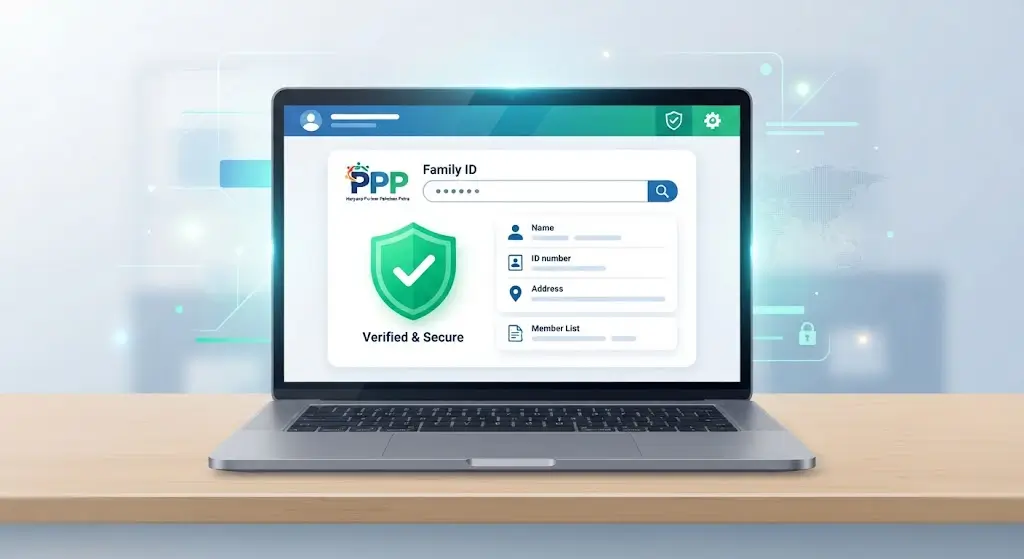
Why Is My Haryana Family ID Not Found?
1. You Entered the Wrong Family ID
The simplest possibility is an incorrect Family ID.
Check the number carefully before submitting it. Avoid adding extra spaces or confusing similar-looking characters.
If you copied the number from an old document or screenshot, compare it with your current PPP record.
2. Incorrect Information Was Entered
A mismatch in the information used to find or access your record can prevent the system from locating it.
For example, carefully check:
- Family ID
- Aadhaar-related information, where applicable
- Mobile number
- Other information requested by the portal
Do not repeatedly submit random information. Use the details associated with your actual PPP record.
3. Your Family ID Was Recently Registered
If you recently completed a registration or family-data process, the record may not immediately appear in every service.
Instead of assuming that the Family ID has disappeared, check the current status through the available official PPP services.
Avoid relying on a fixed processing time unless the official authority provides one for your particular process.
4. Your Family Details Were Recently Updated
A recent correction, member addition, removal, or other family-data change may require processing or verification.
The official HPPA FAQ specifically includes questions about situations where a member has been added to a Family ID but the update has not yet appeared.
If you recently changed your family information, check the status of the request before attempting to create another Family ID.
5. You May Be Using the Wrong Service or Login Route
Different PPP-related services can have different purposes.
If you are trying to:
- view family information
- check a Family ID
- update family details
- access beneficiary information
make sure you are using the appropriate official Haryana service.
The official Haryana Beneficiary Portal is designed to allow citizens to access their own and family-related PPP information.
6. Temporary Technical Problem
Sometimes an online service may temporarily fail to retrieve information.
Before assuming that your record is missing, try again later and make sure you are using the current official Haryana portal.
Do not create a duplicate Family ID simply because the website temporarily fails to display your existing record.
How to Fix “Family ID Not Found”
Follow these steps in order.
Step 1: Check the Family ID Carefully
Enter your Family ID exactly as it appears in your official PPP record.
Check every digit before submitting.
Step 2: Verify the Information You Are Using
If the service asks for additional information, make sure it matches the information associated with your PPP record.
Do not use another person’s Family ID or mobile information.
Step 3: Try the Official Haryana PPP Service Again
Use the current official Haryana PPP/Beneficiary service instead of relying on a third-party website.
The official Beneficiary Portal allows citizens to view PPP details related to themselves and their families.
Step 4: Check Whether You Recently Submitted an Update
If you recently:
- registered a family
- corrected information
- added a member
- removed a member
- changed family information
check whether that request has been processed.
The official HPPA FAQ recognizes cases where a family-member update has not yet appeared in the Family ID record.
Step 5: Try Again Later If the Portal Is Not Responding
If your details are correct but the system is temporarily unable to retrieve your record, wait and try again.
Before taking further action, make sure the problem is not simply a temporary portal issue.
Step 6: Get Assistance If the Record Still Cannot Be Found
If your Family ID remains unavailable after checking the information and official services, use the appropriate Haryana government assistance channel or designated service facility.
Take your relevant identification and family information with you if an in-person verification is required.
Family ID Not Found After Registration
If you have recently registered for a Family ID and it is not appearing, do not immediately submit another registration.
First check:
- Whether the registration was successfully submitted
- Whether your information was entered correctly
- Whether the record is still under processing or verification
- Whether the official system provides a status or tracking option
Creating another Family ID without resolving the original record can create unnecessary confusion.
Family ID Not Found After Correction
If you recently corrected information in your PPP record and the Family ID cannot be found afterward, check the status of the correction request.
The change may not appear immediately across every PPP-related service.
The official HPPA FAQ includes guidance concerning family-member additions where the update has not yet appeared, which shows why checking the update process is important before taking further action.
Family ID Not Found Because of Mobile Number Issues
If the service uses mobile-based verification, make sure you are using the mobile information associated with the relevant PPP record.
However, do not assume that every “Family ID Not Found” message is caused by a mobile-number mismatch. The exact cause depends on the service and the information being entered.
If your mobile information has changed, use the official procedure for updating the relevant family record.
Does “Family ID Not Found” Mean My Family ID Is Deleted?
Not necessarily. A “not found” message only tells you that the system could not retrieve a matching record through that particular search or access attempt.
Possible explanations include incorrect information, an incomplete or recently changed record, processing/verification, or a temporary technical issue.
Therefore, do not create another Family ID solely because you see this message.
First verify the existing record through the official Haryana PPP services.
Should I Create a New Family ID?
If you already have a Family ID, do not create another one simply because the existing ID is not appearing.
First determine why the existing record cannot be retrieved.
If you are genuinely unsure whether a Family ID already exists for your family, use the appropriate official Haryana process to verify the record before submitting a new registration.
When Should You Visit a CSC or Get Offline Assistance?
If you have already:
- checked your Family ID
- verified the information
- tried the official online service
- checked any available status
- waited for a recently submitted update to process
and the record still cannot be found, assisted service may be appropriate.
Take the relevant documents and information required for verification.
Do not give your Aadhaar, OTP or other sensitive information to an unknown person or unofficial website.
Common Mistakes to Avoid
When you see “Family ID Not Found,” avoid these mistakes:
Creating a Duplicate Family ID
Do not immediately register another Family ID.
Using an Unofficial Website
Third-party websites can provide guides, but they are not the same as the Haryana government portal.
Entering Someone Else’s Information
Use only the information associated with your own family record.
Sharing Your OTP
Never share an OTP with someone who contacts you claiming to be a Family ID agent.
Assuming the Record Is Deleted
A “not found” message does not by itself prove that your Family ID has been deleted.
Quick Troubleshooting Checklist
| Problem | What to Check |
| Wrong Family ID | Recheck every digit |
| Information mismatch | Enter details exactly as recorded |
| New registration | Check processing/status |
| Recent correction | Wait for the update to be processed |
| Member recently added | Check whether the update appears |
| Portal problem | Try the official service again later |
| Still not found | Use the appropriate official assistance route |
Official Haryana Family ID / PPP Portal
For PPP-related information, use Haryana’s official government services rather than relying solely on third-party websites.
The official Mera Parivar Haryana Beneficiary Portal provides citizens access to their own and family-related PPP information.
When checking your Family ID, always verify that you are using the current official Haryana government website before entering personal information.
Frequently Asked Questions
Why does my Haryana Family ID say “Not Found”?
The system may be unable to locate the record because of incorrect information, a recently submitted registration or update, verification/processing, or a temporary technical problem.
Does Family ID Not Found mean my ID is deleted?
No. A “not found” message alone does not establish that the Family ID has been deleted.
What should I do if my Family ID is not found after registration?
Check the registration details and available status information first. If the record is still being processed, wait for the official process to complete rather than creating another Family ID.
Why is my Family ID not found after updating details?
A recent update may not have appeared yet. Check the update status and official PPP record before submitting another request. Haryana’s official FAQ specifically addresses cases where a member addition has not yet appeared in the Family ID.
Can I create a new Family ID if my old one is not found?
Do not create a duplicate Family ID simply because the existing record cannot currently be retrieved. First verify the existing record through the official Haryana process.
Can a mobile number cause Family ID access problems?
It can be relevant when a service uses mobile-based verification, but a “not found” message can have multiple causes. Check all required information rather than assuming the mobile number is the only problem.
Where can I check my PPP family information?
The official Haryana Beneficiary Portal provides access to citizens’ own and family-related PPP information.
Article Link: PPP Family ID OTP Not Received
Final Takeaway
If your Haryana Family ID is showing “Not Found,” don’t immediately create another Family ID.
First check the number and other information you entered, make sure you are using the correct official Haryana PPP service, and consider whether you recently registered or updated your family record. If the problem continues, use the appropriate official Haryana assistance channel.
The key is to verify the existing record first rather than creating a duplicate one.
Note: PPP services and online procedures can change. Always check the current official Haryana government portal for the latest process before submitting personal information or documents.
Official Reference
- Mera Parivar Haryana Beneficiary Portal: Official portal for accessing PPP-related family information.
- Haryana Parivar Pehchan Authority (HPPA): Official PPP authority and FAQ resource.