PPP Family ID OTP Not Received. If you are trying to log in to your Haryana Family ID or update your Parivar Pehchan Patra details but the OTP is not arriving, there are several things you can check before trying again.
The most common reasons include an incorrect or inactive registered mobile number, weak network coverage, temporary SMS delays, or a problem with the portal or verification service. In some PPP processes, OTP verification is linked to the mobile number registered with the Family ID, while certain KYC steps may use Aadhaar-linked verification.
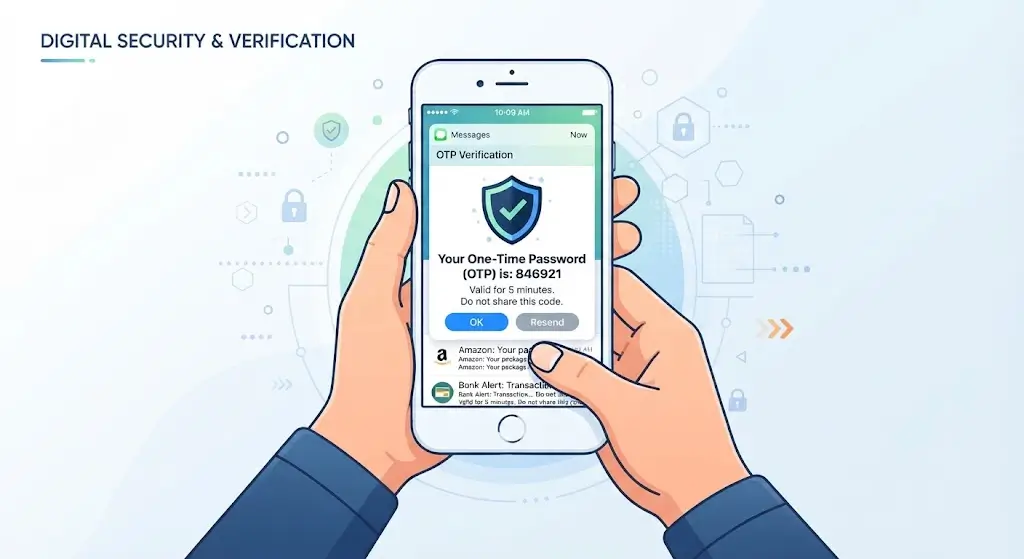
Why Is PPP Family ID OTP Not Received?
There is no single reason why an OTP may fail to arrive. The problem can occur because of either the mobile network, the registered information, or a temporary technical issue.
Common possibilities include:
- The registered mobile number is not active.
- The wrong mobile number was entered.
- Your phone has weak network coverage.
- SMS delivery is temporarily delayed.
- You requested several OTPs within a short period.
- The PPP portal is experiencing a temporary technical problem.
- Your mobile number needs to be updated in the PPP record.
Before making another request, check that your phone can receive normal SMS messages.
1. Check Your Registered Mobile Number
First, make sure that the mobile number associated with your PPP Family ID is correct.
PPP verification processes can send OTPs to the mobile number registered with the PPP record. The Haryana PPP correction documentation specifically describes OTP verification through the registered PPP mobile number.
If you recently changed your phone number, the OTP may still be going to the older number recorded in the system.
2. Check Your Mobile Network
Look at the network signal on your phone and make sure you can receive ordinary SMS messages.
You can try:
- Move to an area with better network coverage.
- Turn airplane mode on and off.
- Restart your phone.
- Check whether other SMS messages are arriving.
- Request the PPP OTP again after a short wait.
Avoid repeatedly pressing the Send OTP button because multiple requests can make it difficult to identify which OTP is the latest one.
3. Wait Before Requesting Another OTP
Sometimes an SMS does not arrive immediately because of temporary network or service delays.
If you have already requested an OTP, wait a few minutes before trying again. If you receive multiple messages later, use the most recent valid OTP requested by the portal.
4. Check Whether Your Mobile Number Is Still Active
If your SIM has been inactive for a long period, temporarily blocked, or has another service issue, you may not receive verification messages.
Make a normal phone call or ask someone to send you an SMS. If those services also fail, contact your mobile network provider before troubleshooting the PPP portal further.
5. Try the PPP Portal Again Later
A temporary portal-side problem can also prevent an OTP request from completing normally.
If your mobile number and network are working correctly, close the browser and try again later. You can also try another browser or device.
Do not assume that your Family ID is incorrect simply because an OTP does not arrive.
6. What If Your Mobile Number Has Changed?
This is one of the more important situations.
If the mobile number recorded against your PPP Family ID is old or no longer accessible, receiving an OTP through that number may not be possible.
The PPP correction documentation shows that citizens can use the PPP correction process for updating certain personal information, including mobile number, subject to the applicable verification process.
If you cannot complete the required online verification because you do not have access to the registered number, seek help through the appropriate PPP service or local operator rather than sharing your OTP or personal information with an unofficial person.
7. Try Again From a Different Browser
Browser problems can sometimes affect government portals.
If the OTP request is not working, try:
- Google Chrome
- Microsoft Edge
- Another updated browser
- A different phone or computer
- A stable internet connection
You can also clear the browser cache and reopen the portal.
8. Visit a PPP/Saral Service Point If the Problem Continues
If your number is correct, your phone receives other SMS messages, and the OTP still does not arrive after repeated attempts, getting in-person assistance can be the practical next step.
Some third-party PPP guidance also recommends visiting a Saral Kendra when OTP problems continue.
Take the relevant identification documents and information needed for your Family ID service. Do not give your OTP to anyone unless you are personally completing the verification on the official service.

PPP Family ID OTP Problem: Quick Solution
| Problem | What to Try |
| OTP not arriving | Wait a few minutes and request again |
| Weak network | Move to an area with better signal |
| Wrong number | Check the mobile number registered with PPP |
| Old mobile number | Contact the appropriate PPP service point/operator |
| SMS not working | Check your SIM/network service |
| Portal issue | Try again later |
| Browser problem | Use another updated browser |
| Still not solved | Seek assistance through an official service channel |
Important Safety Tip
Never share your PPP OTP, Aadhaar OTP, password, or other verification information with an unknown person.
An OTP is intended for your own verification. If someone calls or messages you asking for the OTP to “fix” your Family ID, do not provide it.
Frequently Asked Questions
Why am I not receiving my PPP Family ID OTP?
The issue may be related to the registered mobile number, mobile network, SMS delivery delay, browser, or a temporary technical problem with the service.
Where is the PPP OTP sent?
For PPP correction procedures, the OTP can be sent to the mobile number registered with PPP. Different verification steps can have different requirements, so follow the instructions displayed by the specific PPP service you are using.
What should I do if my registered mobile number is old?
If you no longer have access to the registered number, you may need to use the applicable PPP correction/update process or get assistance from an authorized local service point.
Can I request the OTP again?
If the first OTP does not arrive, you can normally wait briefly and try the OTP request again through the portal. Avoid making many requests continuously.
Does poor network affect OTP delivery?
Yes. Weak network coverage or SMS delivery problems can delay verification messages.
What if PPP OTP still does not arrive?
First confirm the registered mobile number and check whether your phone can receive normal SMS messages. Try again later or use another browser/device. If the issue continues, seek assistance through an authorized PPP service channel.
Article Link: Haryana Family ID Registration
Final Words
If your PPP Family ID OTP is not received, do not immediately assume that your Family ID is wrong. Start by checking the registered mobile number, network signal, SMS service, and browser. Wait a few minutes before requesting another OTP and avoid repeatedly submitting requests.
If the registered number is no longer accessible or the problem continues despite these checks, use the appropriate PPP correction or support channel for further assistance. The PPP system is used as a family-level digital record in Haryana, so keeping the registered information accurate is important for services that depend on it.