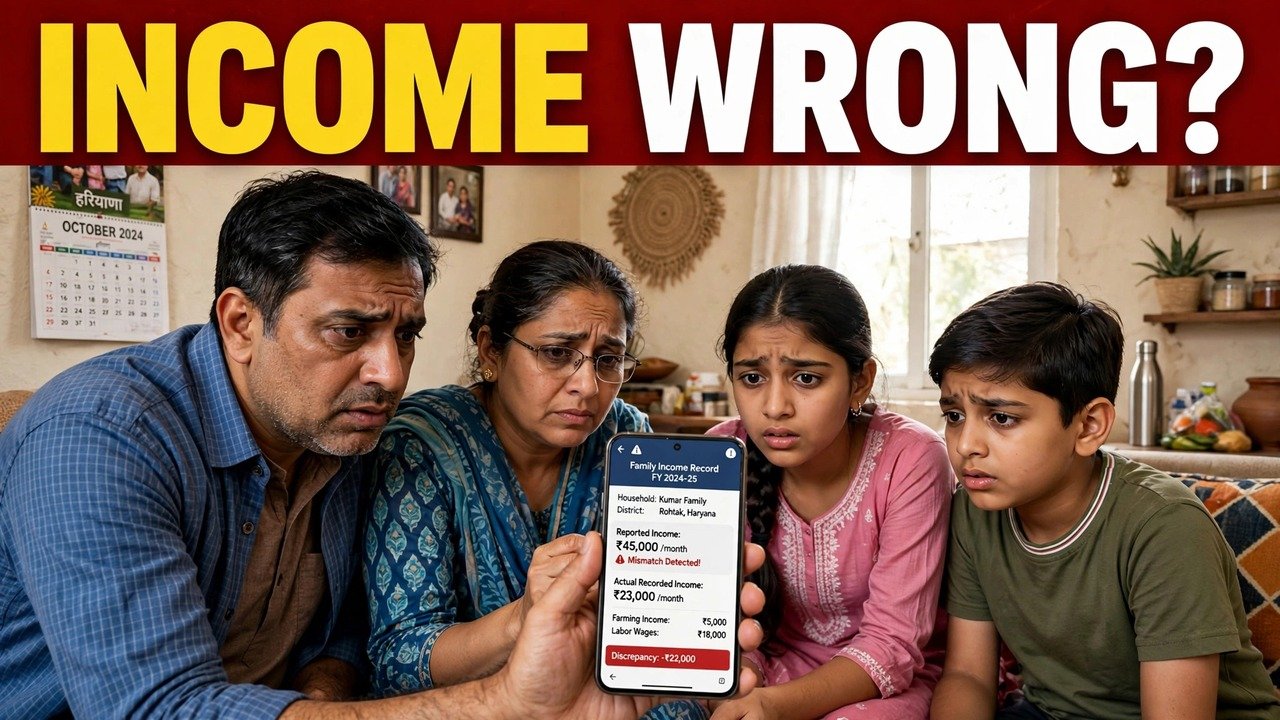
Family Income Wrong in PPP? How to Use the Grievance Option on the Portal
If the family income recorded in your PPP is wrong, use the Grievance option in this specific way: open Add/view Grievance, validate your PPP ID or Aadhaar ID with the OTP sent to the registered Head of Family mobile, choose the scheme that the wrong income is affecting, and then select that scheme’s income-incorrect grievance type — for example, “Family Income is incorrect” under Ayushman Bharat. Fill the service-wise information with the income shown in PPP and the income you say is correct, attach the supportive documents that service asks for, and submit. A ticket ID is generated and an SMS confirms the filing.
The part most families miss is the middle of that sequence. A grievance about income is not filed as a general complaint. In the official guide, it sits inside a scheme, under a named income type.
Start From the Scheme That Is Hurting, Not From a General Complaint
The CRID grievance guide is built service by service. After your ID is validated, you select the Name of Service first, and only then do the information fields and supportive documents for that service appear.
So decide the starting point from the harm you can name. Is a health benefit held up because the family income looks wrong? Is a pension case affected because a beneficiary’s income is recorded incorrectly? The scheme where the effect is showing is the service to select, because that selection decides which grievance types, which questions and which documents the portal puts in front of you.
Filing under a scheme that has nothing to do with your problem sends an income case to the wrong desk with the wrong questions attached.
The Income Type Has a Different Name in Each Scheme
There is no single button called “wrong income” for every case. The guide lists the income grievance type in the words of each scheme. Examples named in the guide are:
- Ayushman Bharat: “Family Income is incorrect”
- Divyang Pension: “Income of the beneficiary is incorrect”
- Old Age Samman Allowance: “Income of the beneficiary & Spouse is incorrect”
Read those names carefully when your service opens. Two of them are about a beneficiary’s income, and one of those also covers the spouse. The Ayushman type is about the family income as a whole. Choosing the type that matches whose income is wrong — the family’s, the beneficiary’s, or the beneficiary and spouse’s — is the step that turns a vague complaint into an income case the receiving team can recognise.
If the income type on your selected service does not describe your situation at all, stop before submitting and take assisted help at a CSC, SARAL Kendra or through a PPP Operator, rather than forcing the case into a type it does not fit.

What to Write in the Service-Wise Information
Once the income type is selected, the guide moves to information defined for that service. For an income case, make those fields carry three clear numbers and one clear name:
- The annual family income exactly as it is shown in PPP today.
- The annual income you say is correct.
- The difference between the two figures.
- The name of the member — or beneficiary, and spouse where that type applies — whose earnings the dispute is about.
Write figures in rupees per year, the same unit in which PPP records income. Do not write a monthly figure in a field that the record keeps annually, and do not round the shown figure from memory: copy it from the PPP record you checked before filing.
Then provide the supportive documents as defined for that service, in the order the screen presents them. The guide does not set one document list for all income cases; the list belongs to the service you selected, so the screen in front of you is the list to follow.
The Filing Sequence, Income Case Only
- Open the PPP Services Grievance route and choose Add/view Grievance.
- Enter your PPP ID or Aadhaar ID.
- Enter the OTP sent to the registered mobile number, or the Head of Family member’s registered number.
- Check the Head of Family name and registered address shown after validation. If they are not your family’s, do not file against that record.
- Select the Name of Service for the scheme the wrong income is affecting.
- Select that scheme’s income-incorrect grievance type.
- Provide the service-wise information, including the income shown and the income claimed.
- Provide the supportive documents defined for that service and submit.
On submission, a ticket ID is generated for tracking, and an SMS confirms the logged grievance with its date, time and tracking ID. Save both before you close the page.
Where an Income Grievance Travels After Submission
The Haryana Legislative Assembly reply places this filing in the official contest system. Families can contest PPP income verification through the designated online mechanisms, namely Correction and Grievance, including challenges to exclusions.
After filing, an exclusion challenge is pushed electronically and automatically to the appropriate quarters for online verification. If the income you are challenging was assessed by a Local Committee, the request is pushed to a higher-level Sector Committee with a similar composition.
The sources used for this article do not state a fixed decision time for an income grievance. The ticket status through Add/view Grievance, not a date given by an agent or a video, is the position to rely on.
If You Are Blocked Before the Income Type Even Appears
Two early blocks stop families before the service selection step. The first is the OTP: without access to the registered Head of Family mobile, validation cannot be completed in that sitting. The second is a mismatch in the record shown after validation: if the head’s name or registered address is not your family’s, filing would attach your income case to the wrong record.
In either case, do not keep retrying the form and do not share your OTP with another person to “try from their side”. Take the Family ID and the record you checked for assisted help at a CSC, SARAL Kendra or through a PPP Operator, and sort the validation block first.
Source: Citizen Resource Information Department, Government of Haryana — PPP Services Grievance Redressal Help Guide (Version 3.0); Haryana Legislative Assembly reply on Parivar Pehchan Patra, Starred Question No. 4 (February 2023); and Mera Parivar / PPP portal official citizen information, Government of Haryana.
Also read: file a complaint about your Family ID online | apply for income correction online | income correction rejected — what to do next
Conclusion
A wrong family income in PPP is challenged best as a precise filing, not a general complaint: validate the ID, choose the scheme the wrong income is actually affecting, pick that scheme’s own income-incorrect type, state the shown income and the claimed income side by side, and keep the ticket ID and confirmation SMS after submitting. That precision is what lets the case move electronically for verification — or up to a Sector Committee where a Local Committee assessed the income — without the receiving team first having to work out what the complaint was about.
FAQs
1. I cannot find a button that simply says “wrong income”. Am I on the wrong page?
Not necessarily. In the CRID guide the income option is a grievance type inside a scheme, worded for that scheme — such as “Family Income is incorrect” under Ayushman Bharat. Select the service first, then look for its income type.
2. Whose income should I name if the type says “beneficiary & spouse”?
That wording belongs to the Old Age Samman Allowance types in the guide. Use it when the disputed figure is the beneficiary’s income together with the spouse’s, and state both names and the figures shown for them in the service-wise information.
3. My wrong income is affecting two benefits at once. Which service do I pick?
Pick the service where the effect you need addressed is showing, because the guide works service by service — the service selection decides the grievance type, information and documents. Keep your PPP record copy and ticket ID so the filing can be referred to clearly for the other benefit.
4. Can I correct the income figure myself in the update screen instead of filing a grievance?
The official citizen information says a field that has completed verification cannot be edited in that flow. A verified income is contested through the designated Correction and Grievance mechanisms described in the Assembly reply.
5. What proof do I have that my income grievance was actually filed?
Two records are generated on submission under the guide: a ticket ID for future tracking, and an SMS confirming the grievance with its date, time and tracking ID. Keep both and follow the case through Add/view Grievance.
