If you’ve recently applied for your Haryana Family ID, also known as Parivar Pehchan Patra (PPP), you’re probably eager to know where things stand. Checking your Haryana Family ID status doesn’t have to be confusing or time-consuming. In this guide, we’ll walk you through the entire process in plain, simple language, so you know exactly what to do at every step.
And here’s some good news to start with: checking your Haryana Family ID status is completely free, and you only need to use the official government portal to do it. No agents, no extra fees, no hassle.
Tracking your application is a straightforward process if you follow these steps in order.
Step 1: Go to the Official Portal
Head over to the official Mera Parivar website. This is the only place you should be checking your Haryana Family ID status, since third-party sites may not give you accurate or secure information.
Step 2: Look for the Status Check Section
Once you land on the homepage, you’ll notice a “Status Check” option somewhere on the dashboard. This is your gateway to tracking your application.
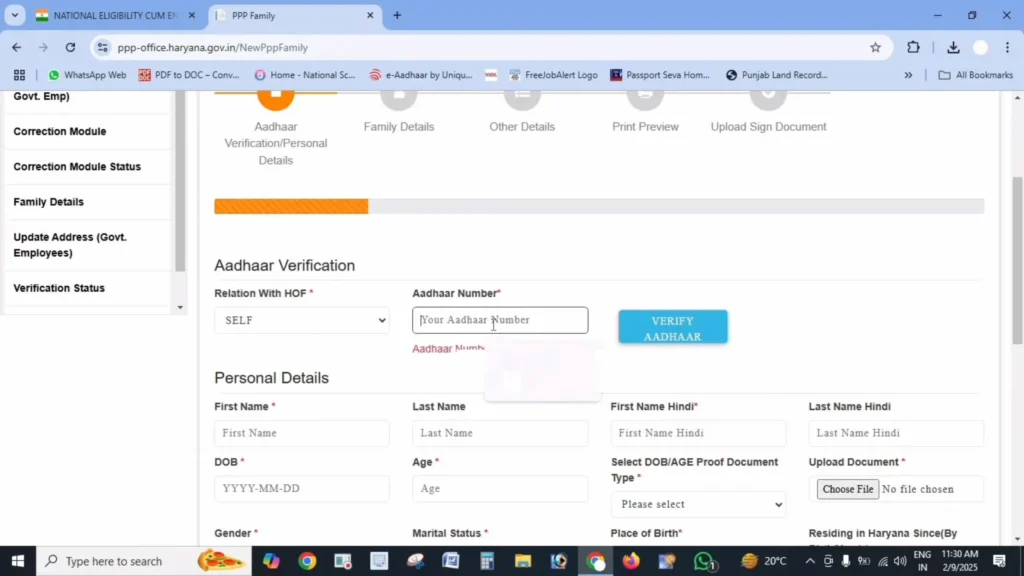
Step 3: Enter Your Application Details
You’ll be asked to provide one of the following:
- Your Family ID number
- The application number you received at the time of registration
- The mobile number you registered with
Any one of these should be enough to pull up your record.
Step 4: Complete OTP Verification
If you choose to check your status using your mobile number, the system will likely send a one-time password (OTP) to confirm it’s really you. Simply enter the code you receive to move forward.
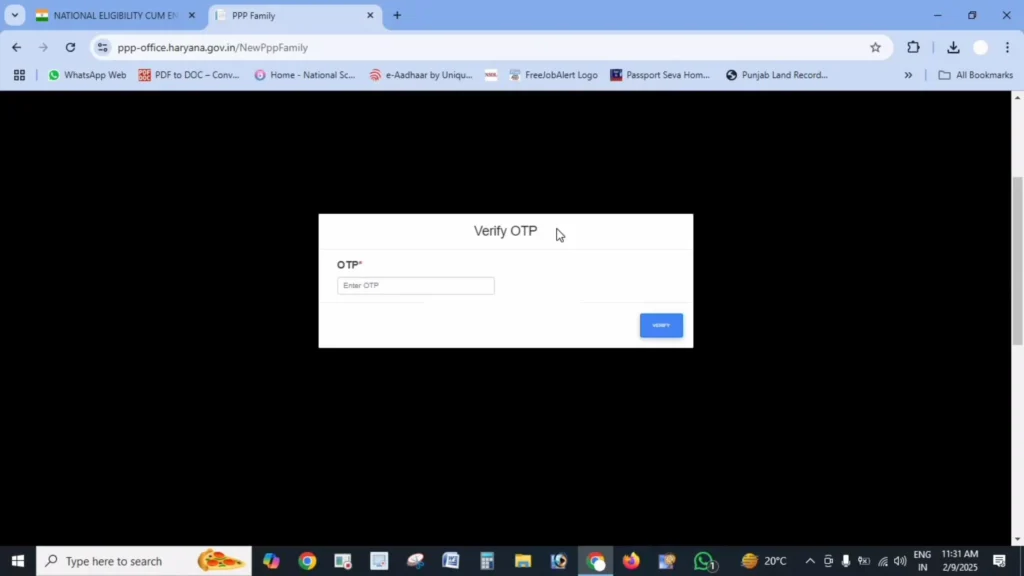
Step 5: Check Your Current Status
Once verified, the portal will display your current Haryana Family ID status, letting you know exactly where your application stands.
Seeing a status update is one thing, but understanding what it means is just as important. Here’s a breakdown of the most common results you might see.
Processing or Pending
This simply means your application is still being reviewed by the concerned authorities. Verification time is not fixed and can be different for every family, so keep checking your status on the official portal.
What you should do: Wait a few more days and check again. Keep checking your status on the official portal regularly.
Approved
This is the result everyone hopes for. It means your application has passed verification, and your Haryana Family ID is officially ready.
What you should do: Head to the download section of the portal and save a copy of your ID for your records. It’s a good idea to keep both a digital and printed copy handy.
Rejected
A rejected status can be disheartening, but it’s usually fixable. This typically happens because of missing details, mismatched information, or unclear document uploads.
What you should do: Don’t panic. Read the rejection reason carefully, fix the issue, and resubmit your application.
Already have a Family ID but recently requested a change, like adding a new family member or correcting a detail? You can track that too, using a similar process:
- Log in to your account using your existing Family ID.
- Head to the “Update History” or “Correction Status” section.
- Locate your specific request and view its current progress.
This makes it easy to stay updated on any changes you’ve submitted, without needing to start a fresh application.
A rejection isn’t the end of the road. Here’s a simple approach to get back on track:
- Read the reason: The portal will usually explain exactly why your application was turned down.
- Fix the problem: Whether it’s a document issue or an information mismatch, correct it based on the feedback given.
- Resubmit your application: Once corrected, send your application in again.
- Ask for help if you’re stuck: Your nearest Saral Kendra can guide you through the correction process if you’re unsure how to proceed.
Even with a simple process, a few hiccups can pop up. Here’s how to handle the most common ones.
“Application Not Found” Error
This usually happens due to a typing mistake. Double-check that you’ve entered your Family ID or application number correctly, without any extra spaces or wrong digits.
OTP Not Received
If your OTP isn’t coming through, first confirm that your mobile number is correctly registered on the portal. Network issues can also cause delays, so try again after a few minutes. If it still doesn’t work, switch to checking your status using your application number instead.
Website Not Loading Properly
Government portals can sometimes get overloaded with traffic, especially during peak hours. Try accessing the site during off-peak times, or clear your browser’s cache before trying again.
Not everyone is comfortable using online portals, and that’s completely fine. Here are a couple of offline options:
- Visit a Saral Kendra: The staff there can look up your application status on your behalf.
- Call the Helpline: The PPP Haryana helpline, accessible through your district office, can also help you track your application.
| Purpose | Link |
| Status Check Portal | https://meraparivar.haryana.gov.in/ |
| Citizen Corner | https://ppp-office.haryana.gov.in/ |
| Saral Haryana Portal | https://saralharyana.gov.in/ |
Any one of three things is enough: your Family ID number, the application number you received when you registered, or the mobile number registered with the application. Enter it on the official portal's status check section and complete the OTP step if asked.
The portal shows the reason with the rejected status — usually missing details, a mismatch in information, or an unclear document upload. Read that reason first, correct exactly that point, and then resubmit the application.
Yes. Log in with your existing Family ID and open the Update History or Correction Status section. Your change request appears there with its current progress, so you do not need to start a fresh application to follow it.
In most cases it is a typing mistake — a wrong digit or an extra space in the Family ID or application number. Re-enter the number carefully, exactly as it appears on your registration confirmation or SMS, and try again.
Yes. Visit your nearest Saral Kendra and the staff can look up your application status for you, or use the PPP Haryana helpline through your district office for an update on your application.
Keeping an eye on your Haryana Family ID status doesn't need to be stressful. By using the official portal, keeping your application details safe, and knowing what each status update means, you can stay on top of the process with confidence. And if anything goes wrong along the way, remember that help is always available through your nearest Saral Kendra or the PPP Haryana helpline.