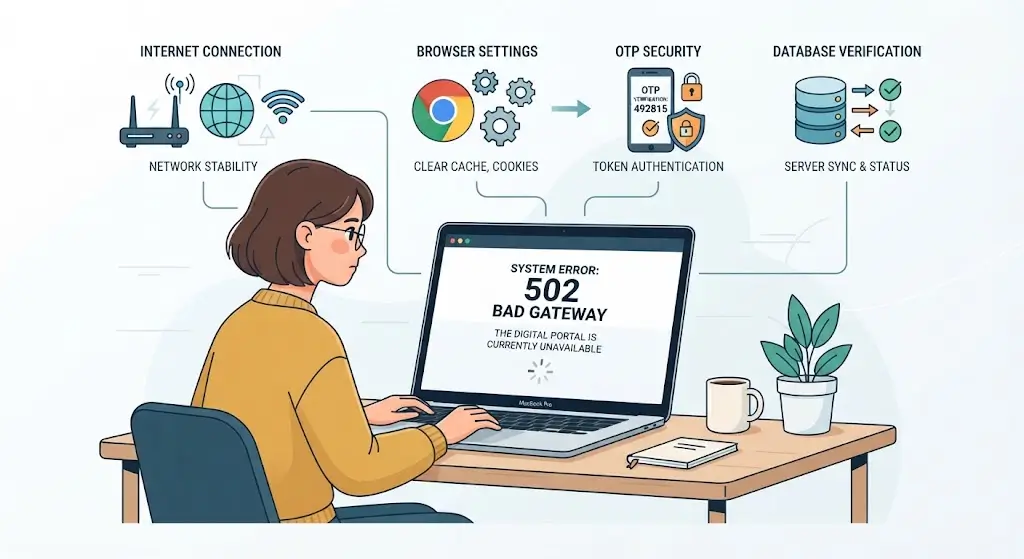
If the PPP Haryana Portal is not working, you may see problems such as the website not opening, slow loading, OTP issues, login errors, or difficulty updating your Family ID details. These problems can be frustrating, especially when you need your Parivar Pehchan Patra for a government service or scheme.
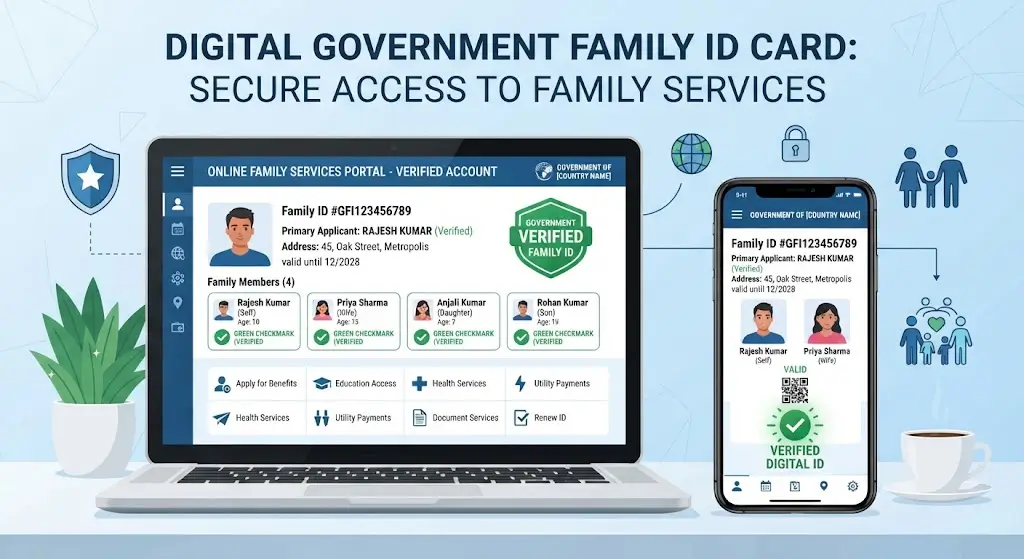
The Parivar Pehchan Patra (PPP) is Haryana’s digital family identification system. Each family receives an eight-digit Family ID, and the information is used across different government services and schemes.
However, a portal error does not always mean that the entire PPP system is down. The problem may be related to your browser, internet connection, OTP verification, account status, or a temporary technical issue.
Why Is the PPP Haryana Portal Not Working?
There can be several reasons why the PPP portal does not work properly.
1. Temporary Server or Technical Problem
Government websites can occasionally experience temporary technical problems because of maintenance, heavy traffic, database updates, or other backend issues.
If the website was working earlier but suddenly stops loading, wait for some time and try again.
Avoid repeatedly refreshing the page if it is already loading slowly.
2. Internet Connection Problem
A weak or unstable internet connection can prevent the PPP portal from loading correctly.
Try opening another website to check your connection. If other websites are also slow, reconnect your internet and try the PPP portal again.
3. Browser Cache or Cookies
Old cache and cookies can sometimes cause websites to display outdated pages or create login problems.
You can try:
- Open your browser settings.
- Clear cached files and cookies.
- Close and reopen the browser.
- Visit the PPP portal again.
You can also try the website in an incognito/private window.
4. OTP Not Received
If you can open the portal but cannot complete login because the OTP is not arriving, the issue may be related to SMS delivery, network problems, or the registered mobile number.
Wait a few minutes before requesting another OTP.
Repeatedly requesting OTPs can sometimes make the process more confusing because an older OTP may become invalid when a new one is generated.
5. Family ID Information Is Pending
Sometimes the portal itself is accessible, but a particular service may not work because information in your Family ID is pending verification or requires an update.
The Haryana government has specifically highlighted pending income verification as an issue affecting some families’ access to welfare benefits.
Therefore, if the portal opens but a particular option is unavailable, it does not necessarily mean that the entire portal is down.
6. Family Details Need Correction
Incorrect names, family relationships, income information, Aadhaar-related information, or other data can create problems when using PPP-linked services.
In May 2026, the Haryana government introduced an online mechanism to address discrepancies in PPP family records, including incorrect information in family records.
If your portal login works but your information is incorrect, the appropriate solution may be to correct the PPP record rather than repeatedly trying to access the portal.

PPP Haryana Portal Not Opening: What Should You Do?
If the website does not open at all, try these basic troubleshooting steps:
Step 1: Check Your Internet
Make sure your mobile data or Wi-Fi connection is stable.
Step 2: Try Another Browser
If you are using Chrome, try another updated browser. You can also open the website in private/incognito mode.
Step 3: Clear Browser Cache
Clear your browser’s cached data and reopen the website.
Step 4: Try a Different Device
If possible, try accessing the portal from another mobile phone or computer.
Step 5: Wait and Try Again
If the issue is caused by temporary server maintenance or high traffic, waiting and trying later may resolve the problem.
PPP Portal Login Not Working
If the portal opens but your login does not work, check the information you are entering carefully.
Make sure:
- Your Family ID is correct.
- Your registered mobile number is active.
- You are entering the latest OTP.
- Your internet connection is stable.
- Your browser is updated.
If the problem continues, avoid entering incorrect information repeatedly.
PPP Haryana OTP Problem
OTP problems are among the common difficulties users can experience when accessing online services.
If you do not receive the OTP:
- Check your mobile network.
- Wait for a few minutes.
- Confirm that you are using the mobile number associated with your PPP record.
- Request a new OTP.
- Try again later if the SMS service is delayed.
If other SMS messages are also not arriving on your phone, the problem may be related to your mobile network rather than the PPP website.
PPP Update or Correction Not Working
If you successfully log in but your Family ID update is not being completed, the issue may not be a website outage.
Your information may require verification before the change is reflected in the PPP database.
The Haryana government has continued to focus on PPP data verification and correction. In May 2026, officials discussed problems related to Family Identity Cards and their resolution, including income verification and Aadhaar-linking issues.
Give the system time to process an update instead of submitting the same request repeatedly.
PPP Portal Is Working but Download Option Is Missing
If you can access your PPP account but cannot download your Family ID, first check whether your record or requested update has been approved.
A missing download option may indicate that the relevant information or verification process has not yet been completed.
Check your Family ID details and application status before assuming that the entire portal is unavailable.
Is PPP Haryana Portal Down?
A website being unavailable for one user does not automatically mean that the complete PPP system is down.
There are several possible causes:
- Temporary server issue
- Internet connection problem
- Browser problem
- Heavy website traffic
- OTP delay
- Account verification issue
- Pending Family ID update
- Technical maintenance
For this reason, users should first try the basic troubleshooting steps before concluding that the Haryana PPP portal is completely down.
The PPP system remains an active Haryana government platform. The National Government Services Portal describes PPP as an online service that maintains verified family information and provides each family with an eight-digit Family ID.
How to Check Whether the Problem Is From Your Side
A simple test can help identify the problem.
If the website does not open:
Try another browser, device, or internet connection.
If the website opens but login fails:
Check your Family ID, mobile number and OTP.
If login works but information is missing:
Check your Family ID record and verification status.
If only one option does not work:
The particular service may be unavailable or your record may require verification.
If the website does not work on multiple devices and connections:
The problem may be temporary and related to the portal itself.
Important PPP Haryana Update in 2026
The Haryana government continues to expand and update the PPP system.
According to an official May 19, 2026 government release, more than 77 lakh families and 2.98 crore members were registered through PPP across Haryana’s 23 districts. The government also stated that more than 50 departments had been integrated with PPP and that over 400 schemes were being implemented through the platform.
The same release mentioned plans for a new PPP 2.0 data platform and PPP Smart Cards.
This means that users may see changes to PPP services as the system continues to be developed.
When Should You Contact Support?
If you have tried different browsers, devices and internet connections but the problem continues, you should use the official Haryana PPP support channels rather than relying on unofficial websites or social media claims.
For important issues involving your Family ID, keep details such as your Family ID and registered mobile number available when contacting the relevant support channel.
Do not share your OTP, Aadhaar details, password or other sensitive information with unknown individuals.
Frequently Asked Questions
Why is the PPP Haryana portal not working?
The problem may be caused by a temporary technical issue, heavy traffic, internet connectivity, browser cache, OTP problems, or an issue with your Family ID record.
Why is my PPP Haryana OTP not coming?
Check your mobile network and wait a few minutes before requesting another OTP. Also make sure the mobile number associated with your PPP record is active.
Why is my PPP update not showing?
Your update may still be under verification or processing. PPP-related information can require verification before the change appears in the record.
Can I access PPP Haryana from my mobile?
Yes. PPP is an online service, and the official portal can be accessed through a web browser.
Does a PPP error mean my Family ID is cancelled?
No. A temporary website or login problem does not by itself mean that your Family ID has been cancelled.
What should I do if PPP is not opening?
Check your internet connection, clear your browser cache, try another browser or device, and try again later. If the issue continues across multiple devices and connections, seek help through the appropriate official Haryana channel.
Article Link: Haryana Family ID status
Final Words
If the PPP Haryana Portal is not working, do not immediately assume that your Family ID has a problem. First identify whether the issue is with the website, your internet connection, OTP, browser, login, or a pending verification.
For important Family ID information, always rely on official Haryana government sources. PPP is an important part of Haryana’s digital service system, and the government continues to update its data, verification processes and technology.
For your own safety, avoid sharing your OTP or personal documents with unofficial websites claiming to fix PPP problems.