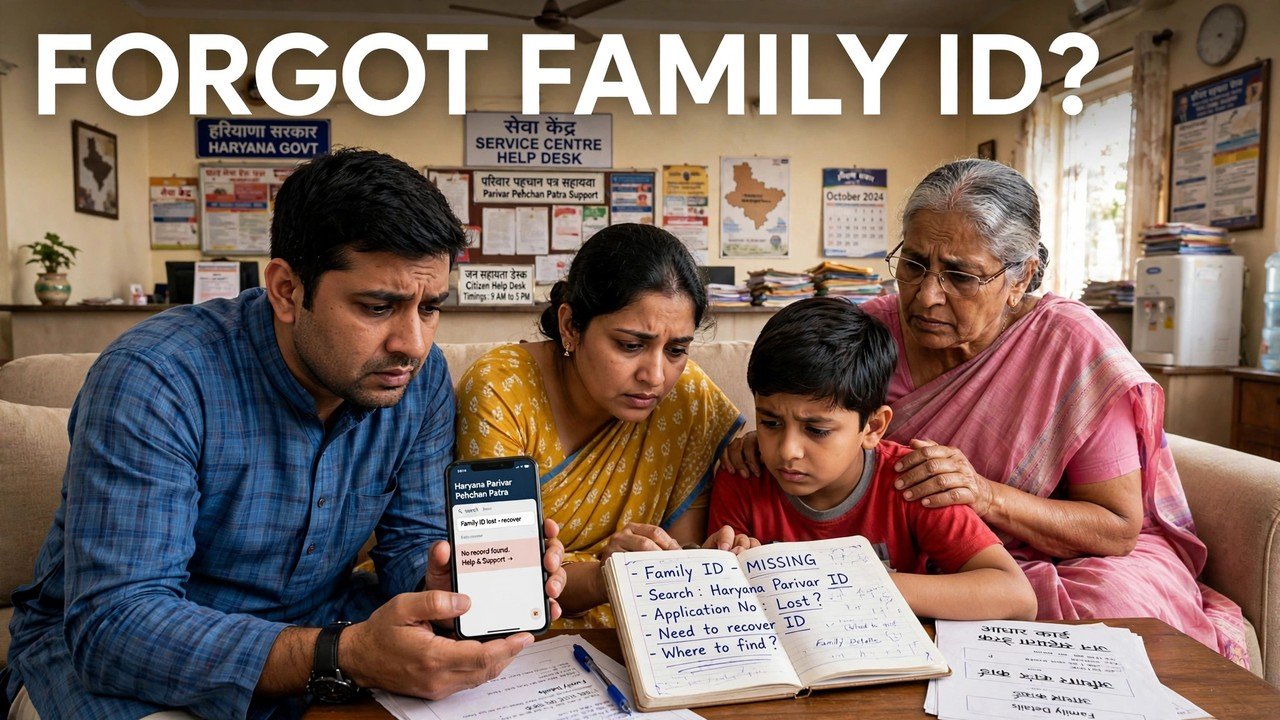
Forgot Your Family ID Number? How to Recover Your 8-Digit PPP ID
A forgotten Family ID number is not a lost Family ID. The number still sits in your family’s PPP record even when the paper card is missing and nobody at home remembers the digits. You can recover it on the official Mera Parivar portal: open Update Family Details under Citizen Corner, choose the option for not knowing the Family ID, search with Aadhaar, complete the OTP check that goes to the Head of Family mobile stored in PPP, and read the 8-digit number on the family record that opens. This guide stops at that moment — the number found again.
Once you have it written down safely, every other task becomes easier. Downloading the card itself is a separate step, covered in the Family ID download guide.
The Number Exists Even When the Card Does Not
Many families assume a missing card means they must apply again. That is not how PPP works. Enrolment created one record for the household in the Family Information Data Repository, and the permanent Family ID issued to a family residing in Haryana is an 8-digit number attached to that record.
Recovery, therefore, is a lookup, not a fresh application. The portal is not deciding whether your family qualifies for an ID; it is checking that you are connected to the record before it shows the number back to you. That is why the Aadhaar search and the OTP step exist — they are the proof that the person asking is linked to this family.
If your family was never enrolled at all, there is no number to recover. Enrolment itself is done through a CSC, SARAL Kendra or PPP Operator, and no fee is charged for it.
The Two Details the Recovery Checks
This lookup needs only two things, and both must match what PPP already holds:
- An Aadhaar number the portal can search with. On the Update Family Details screen, the No route replaces the Family ID entry with an Aadhaar search. Enter the number carefully; the search reads the stored record, so a wrong digit points at the wrong record or at none.
- Access to the Head of Family mobile phone. Self-service authentication sends an OTP to the mobile number of the Head of Family recorded in the PPP database. The code does not go to the phone of whichever member happens to be trying, unless that member is the Head of Family on the record.
Nothing else is asked for at this stage. You are not uploading documents to recover a number, and you should not hand your Aadhaar or OTP to any person running an unofficial website that promises to find Family IDs.
Recovering the Number, in Order
Step 1 — Start on the official portal only. Open meraparivar.haryana.gov.in. Recovery searches shared on video or messaging apps are not the official route.
Step 2 — Open Citizen Corner and choose Update Family Details. This tab is the entry the official citizen information names for self-service access to a family record.
Step 3 — Answer No to the Family ID question. The portal asks whether you know the Family ID. Selecting No is what opens the Aadhaar search instead of the number box. Selecting Yes would simply ask for the very number you have forgotten.
Step 4 — Search with Aadhaar. Enter the Aadhaar number and search. Wait for the record the system returns rather than trying several numbers one after another.
Step 5 — Complete the OTP check. Enter the OTP received on the Head of Family mobile stored in PPP. Only after this authentication does the family record open.
Step 6 — Read and note the 8-digit Family ID. The record that opens shows your family’s Family ID. Note all eight digits exactly as shown and keep them where the family can find them again. Your work in this guide ends here; printing the card is a different process.

If the Record Does Not Open
You are waiting for an OTP on the wrong phone. The code goes to the Head of Family number on the PPP record. If that number has changed since enrolment, the OTP will still try the stored number. A changed mobile is an update problem for the assisted route, not something a recovery search can bypass.
The Aadhaar search returns nothing. Check the digits once, calmly, and search again. If it still fails, the Aadhaar held against the family record may differ from the one you entered, or the family may not be enrolled. Either case needs the counter, not repeated guessing.
Self-service is not possible at home. Go to the official assisted channels. PPP help is available through a CSC, SARAL Kendra or PPP Operator, and citizens can also update or verify family information at an Atal Seva Kendra or SARAL Kendra. Take your Aadhaar and, if possible, the Head of Family with their mobile, and ask the operator to open the family record and tell you the Family ID shown on it.
Source: Mera Parivar / PPP portal, Government of Haryana; Citizen Resource Information Department, Government of Haryana — About Parivar Pehchan Patra; and National Informatics Centre, Haryana (Government of India) official page on Parivar Pehchan Patra (October 2024).
Also read: find Family ID by Aadhaar number | check Haryana Family ID status online
Conclusion
Recovering a forgotten Family ID is a short lookup with a clear finish line: official portal, Citizen Corner, Update Family Details, No to the number question, Aadhaar search, OTP on the Head of Family mobile, and the 8-digit number read off the opened record. Nothing new is created and nothing needs to be re-applied for. Families who note the number down once, in a place everyone trusts, will not need this lookup again — and when the stored mobile or Aadhaar detail itself is the obstacle, the CSC, SARAL Kendra, Atal Seva Kendra and PPP Operator counters are the official way through.
FAQs
1. Does recovering the number give my family a new Family ID?
No. The search shows the Family ID that already belongs to your family’s record. You keep the same single 8-digit number; recovering it does not create a second ID or change the existing one.
2. My family lives outside Haryana. Is our ID also 8 digits?
Not necessarily. Families residing in Haryana receive a permanent 8-digit Family ID, while a family residing outside Haryana that enrols to use a Haryana service receives a 9-digit temporary Family ID beginning with the letter T. The recovery lookup works from the record either way.
3. Can any family member recover the number using only their own mobile?
The OTP part cannot be completed on just any member’s phone. Authentication sends the code to the mobile number of the Head of Family stored in PPP, so that phone must be available, whichever member starts the search.
4. We never made a Family ID. Can this search create one for us?
No. This process only finds a number for a family that is already enrolled. A family with no PPP record must enrol first through a CSC, SARAL Kendra or PPP Operator; enrolment carries no fee.
5. The Head of Family mobile number has changed. What should we do?
Do not keep requesting OTPs and do not use an unofficial shortcut. Visit a CSC, SARAL Kendra, Atal Seva Kendra or PPP Operator for assisted help with the family record, so the number on the record can be dealt with through the official update route.
